

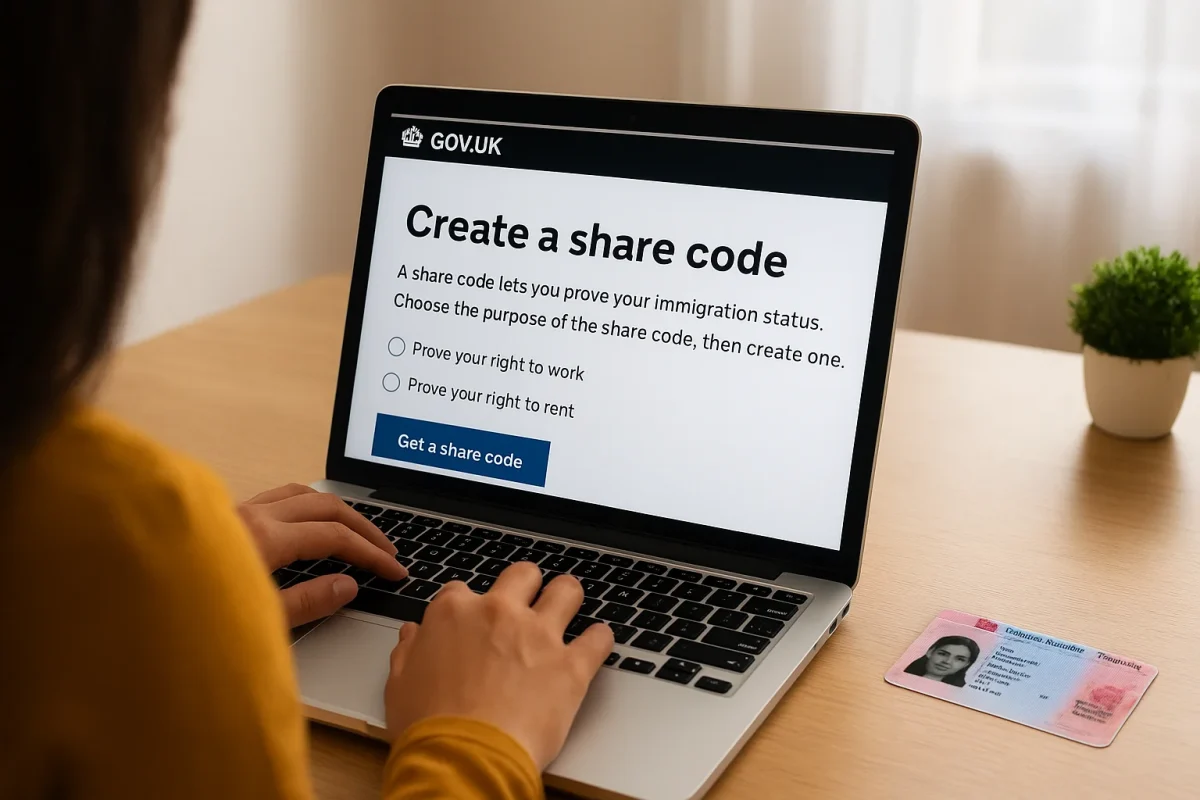
Losing track of your immigration documents or struggling to prove your right to work, rent, or study in the UK can be stressful. Thankfully, the UK government has simplified this process through a digital tool known as the share code. Whether you hold a Biometric Residence Permit (BRP), a visa, or settled status, you can create share code online to verify your immigration status securely.
At Primus Solicitors Manchester, we specialize in helping individuals understand and manage their UK immigration status. This comprehensive guide explains how to create share code, when it is required, how long it lasts, and what to do if you encounter problems.
What Is a Share Code in the UK?
A share code is a unique, nine-character digital code issued by the UK Home Office. It enables non-UK nationals to prove their immigration status online instead of carrying physical documents such as a visa or BRP card.
You can use a share code to demonstrate your:
- Right to work in the UK
- Right to rent property in the UK
- Immigration status (e.g., Settled, Pre-Settled, or visa type)
- Access to benefits or public services (in limited cases)
Essentially, it’s a secure way to let employers, landlords, or other authorities verify your status directly through the Home Office digital system.
Why You Need to Create Share Code
Creating a share code is crucial for anyone under the UK’s digital immigration system, including those who entered on:
- A Skilled Worker Visa
- Student Visa
- Spouse or Family Visa
- Global Talent Visa
- EU Settlement Scheme (EUSS)
The share code replaces traditional paper or plastic documents. Employers and landlords must verify immigration status online using the code, which ensures compliance with the Immigration Act 2016 and Home Office regulations.
If you cannot create or share your code, your job offer or tenancy may be delayed or even withdrawn.
How to Create Share Code
You can easily create share code online through the official Home Office “View and prove your immigration status” portal. Follow these steps:
🔹 Step 1: Visit the Official UK Government Website
Go to https://www.gov.uk/view-prove-immigration-status
🔹 Step 2: Sign in Using Your Login Details
You will need to log in using:
- The email address and password you used to apply for your visa or immigration status
- A security code sent to your registered phone or email
🔹 Step 3: Choose the Purpose of the Share Code
Select one of the following options:
- “Prove your right to work”
- “Prove your right to rent”
- “Something else” (general verification)
🔹 Step 4: Generate the Share Code
After confirming your details, click “Get a share code.”
A nine-character code (e.g., X7R-2P3-9Q1) will be displayed.
🔹 Step 5: Share the Code Securely
Provide the code to your employer, landlord, or institution. They can use it at https://www.gov.uk/view-right-to-work to check your status.
Each share code is valid for 90 days, after which you must generate a new one.
What Information Does a Share Code Show?
When someone uses your share code, they can view:
- Your name and date of birth
- Your type of immigration status (e.g., Skilled Worker Visa, Settled Status)
- The expiry date of your visa or status
- Your conditions, such as “Right to Work” or “No recourse to public funds”
No sensitive data, such as your address or contact information, is shared — only immigration-related details relevant to verification.
Common Issues When Trying to Create Share Code
Sometimes, users encounter difficulties while generating their code. Below are common problems and solutions:
❌ Forgotten Login Details
If you forgot your email or password, click “Recover account” on the login page. You may need access to your registered phone or recovery email.
❌ Invalid BRP or Passport Details
Ensure you use the same passport or BRP number linked to your visa application. If your document has changed (e.g., a new passport issued), update your UKVI account details before generating the code.
❌ Technical Error or Code Not Working
Try again later or use a different browser. If the problem persists, contact the UKVI Resolution Center for assistance.
How to Create Share Code Without a BRP
If you do not have a Biometric Residence Permit, you can still create share code using your:
- Passport number (used for your visa application)
- National ID (for EU citizens)
- BRP number, if applicable
EU, EEA, and Swiss citizens with digital status under the EU Settlement Scheme can generate a code without physical documents.
When to Create Share Code
You should create share code in the following situations:
- Starting a new job or changing employers
- Renewing or signing a rental agreement
- Applying for university enrolment or student funding
- Updating records with your local council, NHS, or Home Office
Being proactive and generating a share code ahead of time can save delays and stress.
Updating Your UKVI Account Before Generating a Share Code
Before you create share code, ensure your UKVI account details are accurate:
- Update your passport number if you have a new one
- Change your email or phone number if you no longer use the registered ones
- Verify your immigration status is correctly displayed
You can manage your details at https://www.gov.uk/update-uk-visas-immigration-account-details.
What to Do if Your Share Code Doesn’t Work
If your share code isn’t recognized, check:
- You selected the correct type (work/rent/general)
- The code hasn’t expired
- You used the same document number as in your visa application
If all details are correct and it still fails, contact:
📧 info@ansarhabib.com
📞 0161 222 5860
Our solicitors can help you verify and restore your UKVI access.
Legal Help for Immigration Status and Share Codes
At Primus Solicitors Manchester, we provide comprehensive support for individuals struggling with immigration verification, including:
- Assistance with BRP errors or replacements
- Help recovering or linking your UKVI account
- Guidance for employers or landlords verifying share codes
- Representation for status disputes or immigration compliance
We ensure your immigration rights are protected and your digital records remain up to date with the Home Office.
FAQs About Create Share Code
1. How long does a share code last?
Each share code is valid for 90 days. You can create a new one anytime if it expires.
2. Can I create multiple share codes?
Yes, you can generate multiple codes for different purposes — for work, rent, or general checks.
3. What if I don’t have internet access?
You can ask a trusted person or legal representative to help you generate the code.
4. Is it safe to share my code?
Yes, it’s secure as it only reveals immigration-related information. Never share your UKVI login details.
5. Can employers accept physical BRP cards instead?
Employers are required by law to verify immigration status online using the digital share code system.
Contact Primus Solicitors Manchester for Immigration Help
If you’re facing issues creating or using your share code, our experienced team can help. We handle all types of UK immigration matters, from visa renewals to digital status disputes.
📍 Primus Solicitors Manchester
First Floor, 402 Palatine Road, Northenden, Manchester M22 4FZ
📞 0161 222 5860
📧 info@ansarhabib.com
🕘 Monday–Friday: 09:30 AM – 05:30 PM
Need help creating your share code or updating your UKVI account?
Contact Primus Solicitors Manchester today for expert immigration advice and representation.
